One Less Thing to Remember
Parentzia helps you keep everything about your kids organized—without juggling apps or mental notes.
Join the early access list and see how calm organization feels.

Parentzia helps you keep everything about your kids organized—without juggling apps or mental notes.
Join the early access list and see how calm organization feels.
Open your phone’s camera roll and scroll for a second. What do you see? If you’re raising kids today, you likely have thousands of images eating up your storage. We lock away endless bursts of the same playground swing session and dozens of blurry breakfast snaps, letting our digital spaces fill to the brim.
If you want to move beyond basic, jarring cuts without spending weeks mastering professional editing suites, desktop software is your best bet. For instance, a dedicated tool like SmartSHOW 3D maker ensures a smooth, hassle-free workflow – letting parents use themed templates, apply eye-catching 3D effects and transitions, and add heartfelt voiceovers, all without needing advanced video editing skills.

You can break this cycle with a clear, straightforward strategy. Sorting your media files allows you to dig out the true highlights. From there, you can piece them together into custom, movie-style videos that your kids will genuinely value as they grow. Here is a step-by-step roadmap to clear the digital noise and preserve your family’s history.
You cannot build a great video presentation without sorting your raw footage and images first. Gathering files from multiple devices feels like a chore, but breaking the job down makes it highly manageable.
Start by pulling everything into a single spot. Pick a free afternoon to gather every family picture you own:
With your media in one central location, establish an easy, logical filing system. Organizing folders by date and specific events is the best approach for busy parents.
Set up your main directory using this straightforward format:
Standardizing your naming habits means you can pinpoint a specific memory in seconds.
Next up is trimming the fat, which requires some discipline. You do not owe any loyalty to bad photography. Use a strict filtering process as you comb through your new folders.
Purge accidental pocket shots, duplicate frames, and any image where someone blinked. Keep the frames that hold real emotional weight, tell a story, or show true expressions. A handful of exceptional shots holds far more value than thousands of forgotten files.

Once your primary storage folder is clean, start picking the best images to profile your child. A great video project should play out like a narrative, showcasing their changing looks, evolving quirks, and personal path.
Avoid a random assortment of clips by picking a specific theme or time frame for the project.
Try focusing on creative angles like:
It is tempting to filter your choices down to flawless, staged portraits. While those look nice, they miss the reality of day-to-day parenting.
Make plenty of room for real, unposed, and chaotic moments. The picture of your daughter covered in flour during a failed baking experiment, or your son fast asleep on the living room rug with his favorite toy, offers a much truer look at their childhood than any polished studio session.
Now that your photos are selected and ready, you need the right tool to turn those static frames into a dynamic family record. Your choice of software is what turns a pile of files into a moving experience.
You don’t need a degree in film editing to create an incredible project. Search for an application that offers simple controls alongside high-quality output options.
The program needs an easy drag-and-drop workspace, pre-built style templates, clean transitions, and flexible settings for adding audio.
If you want to move past basic, jarring cuts without spending weeks learning professional editing suites, desktop software is your best bet. For example, choosing a dedicated software option like SmartSHOW 3D maker ensures a smooth workflow, allowing parents to use themed templates, apply eye-catching 3D effects & transitions, and add touching voiceovers without needing advanced video editing skills.
Using a program built specifically for this task cuts out the frustration. Instead of getting bogged down in intricate multi-track timelines, you can focus on the fun part: arranging the layout and watching your child’s milestones unfold.
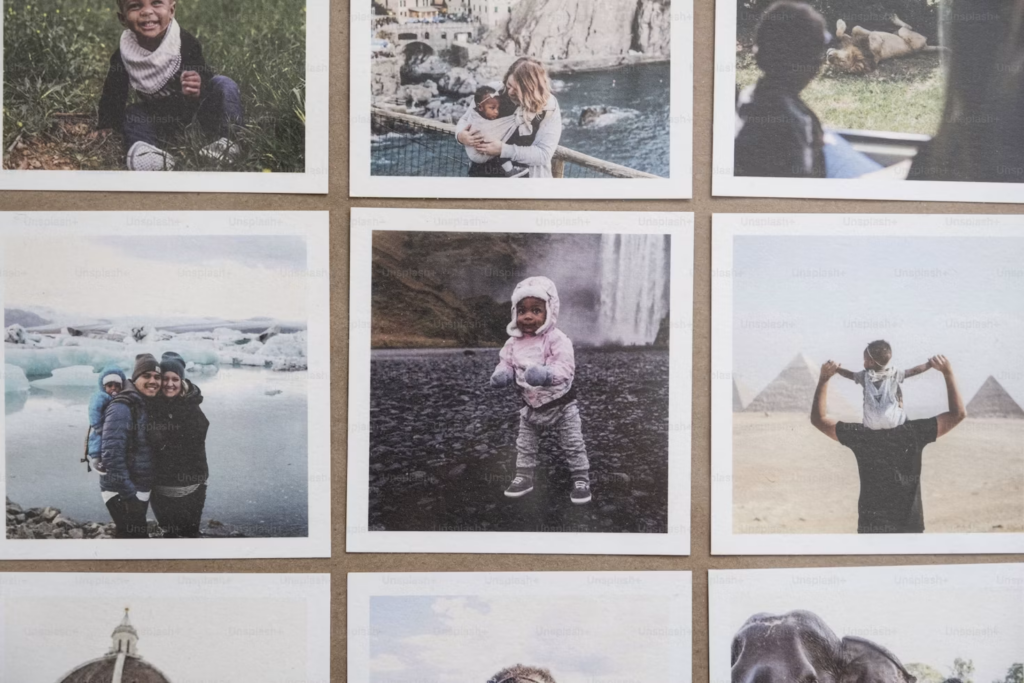
The line between a boring slideshow and a treasured family keepsake comes down to the details you add. Once your pictures are set up in the timeline, start layering in the creative elements that make it personal.
Audio sets the mood for the entire viewing experience. A great track can pull at the heartstrings or instantly spark a happy memory.
Let your visuals share the stage with words and audio. Use title cards and voiceovers to add context.
Drop in short captions noting dates, ages, locations, or hilarious things your child said. For an even more personal touch, use a microphone to record yourself speaking. Having your children hear your voice explaining a memory or sharing your love for them creates an invaluable keepsake they will appreciate well into adulthood.
Organizing your photo collection isn’t just a chore to free up storage space on your hard drive. It is a way to protect the life you are building. The childhood years move incredibly fast, and the small, daily moments can easily slip away from us.
By cleaning up your files and structuring them into a custom video, you hand your child a wonderful piece of their own history. You are building a time capsule of their upbringing that they can open whenever they want to see how much they are loved.

